Help
How can we help?
Guides with pictures
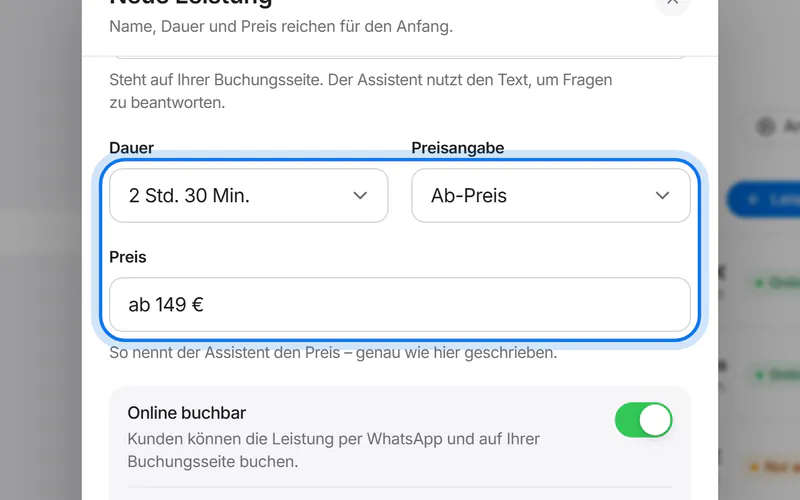
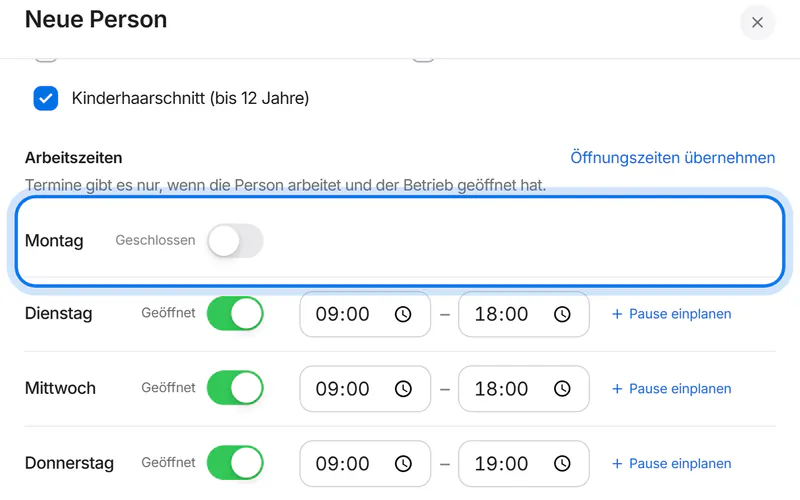
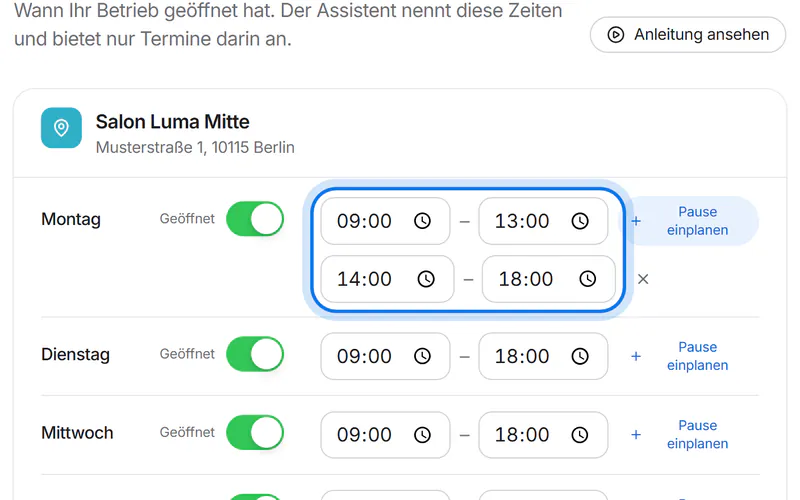
Step by step – with pictures of the customer area and short videos. The customer area is in German, so the guides name the German labels.
Frequently asked questions
Account & sign-in
How do I create an account?
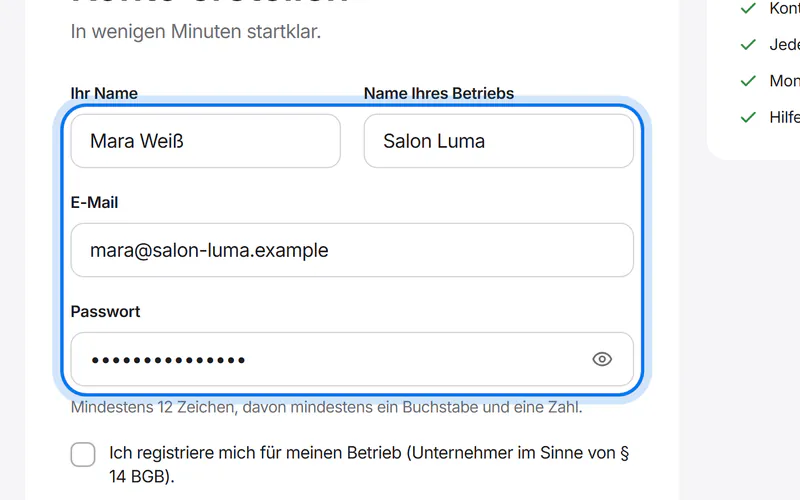
Via “Get started”: name, email, password and your business name. Then confirm your email address through the link we send you.
I forgot my password.
Choose “Forgot password?” on the sign-in page. You'll receive a link by email to set a new one.
Can I invite my team?
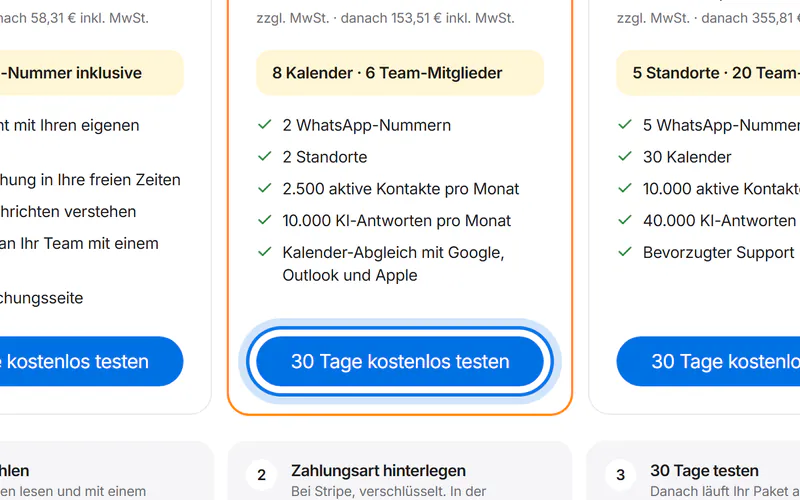
Yes. Under “Zugänge” (access), tap “Person einladen” (invite a person), enter the email address and choose a role. The invitation is valid for 7 days. How many team members you can add depends on your plan.
What do staff see with their own login?
With the role “Mitarbeiter/in” (staff member) they see their own appointments and who in the team is away when, and they enter their own time off. They don't see messages, settings or your contract.
Does creating an account cost anything?
No. Account and setup are free. You only pay when you choose a plan.
WhatsApp & Telegram
Which phone number do I need?
A number for the WhatsApp Business Platform. Whether your existing number can be used, we check together during setup.
How do I connect WhatsApp?
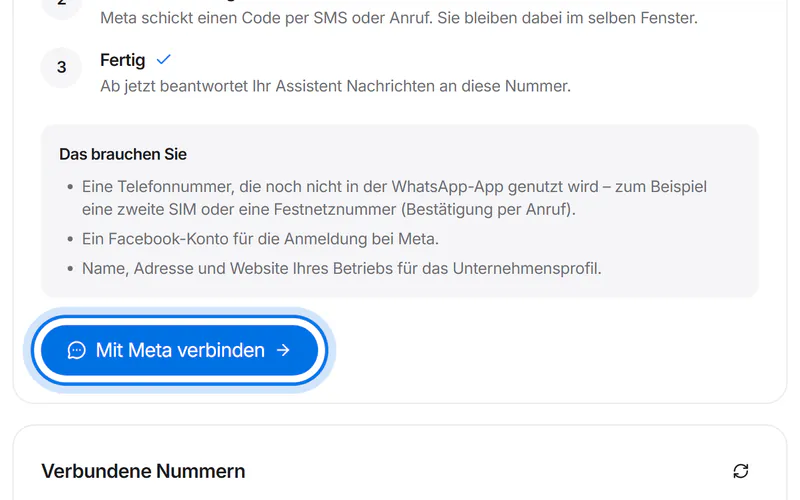
In your account under “WhatsApp & Telegram” you start Meta's official sign-in, log in with your Facebook or Meta business account and choose your number.
How long does Meta's approval take?
The connection is usually active right away. For some features Meta also verifies your business – that can take a few days.
Is the AI included in the price?
Yes. AI replies are part of the plan; we run the AI for you. From Meta you only need the sign-in, so your customers can message you on WhatsApp and book appointments.
Can I use Telegram too?
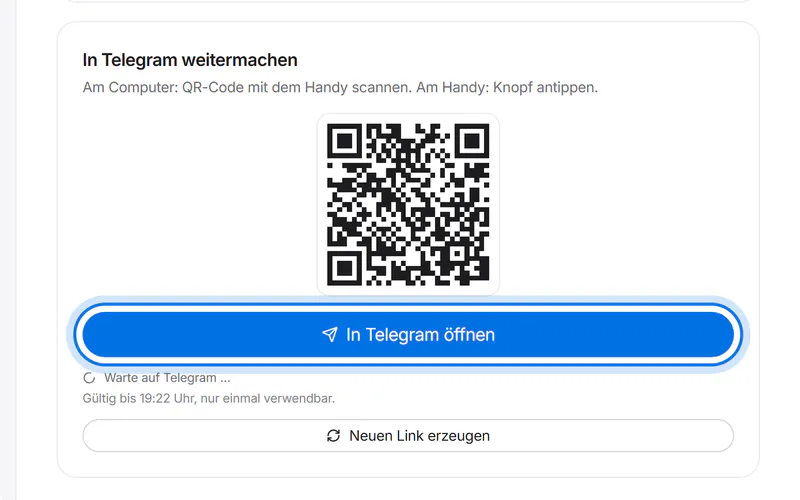
Yes, with your own Telegram bot. Under “WhatsApp & Telegram”, tap “Telegram-Bot erstellen” (create Telegram bot) and confirm once in Telegram. We set up the name, logo, description, the “Termin buchen” (book) button and the commands automatically. The assistant answers there just like on WhatsApp.
How do customers find my Telegram bot?
Through the link or the QR code in your account. “Aushang herunterladen” (download sign) gives you a page to print, for example for your shop window. Customers don't need to share a phone number on Telegram – not even to book.
Appointments & calendar
How does the assistant know when I'm free?
From your opening hours, your team's working hours, breaks, buffers per service, existing bookings and your connected calendars.
Can I add appointments myself?
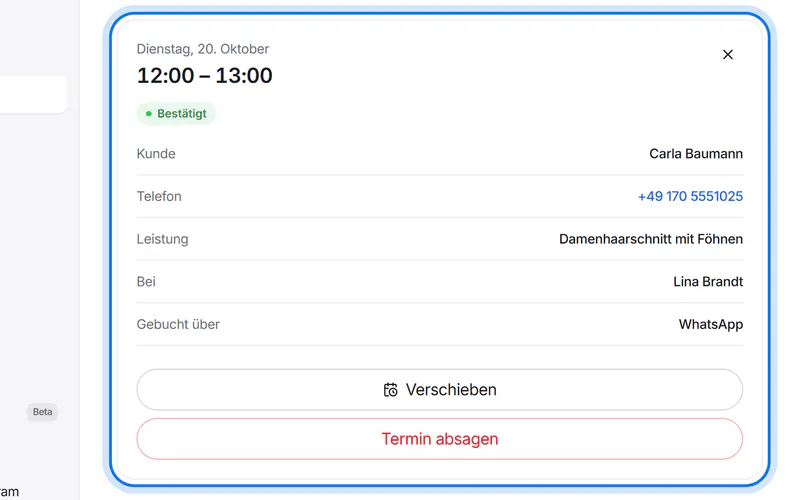
Yes. Under “Appointments”, tap “Termin eintragen” (add appointment) – for phone calls or walk-in customers. The assistant then never offers that time.
Are my Google events considered?
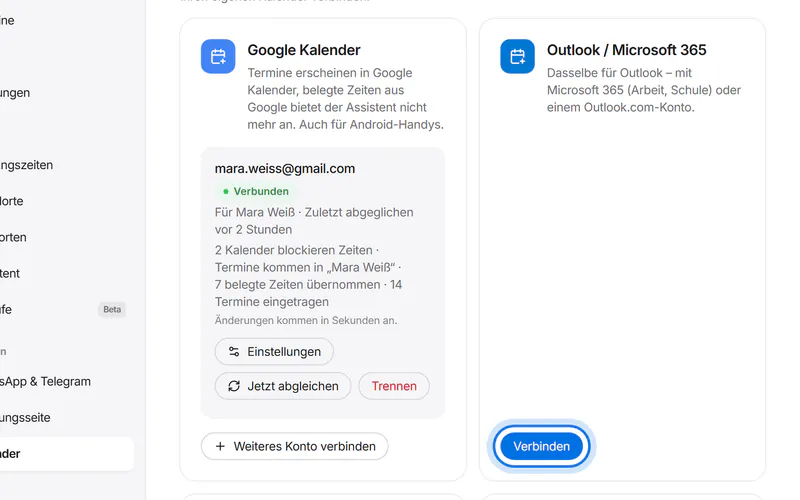
Yes, once you connect Google Calendar under “Kalender” (calendar): times that are busy there are no longer offered by the assistant, and new appointments appear in Google automatically. Keep moving and cancelling appointments in your account – that way your customer hears about it too. Changes made directly in Google are not taken over.
Which calendars can I connect?
Google Calendar, Outlook and Apple iCloud both ways, and any other calendar with an iCal link read-only – for example from your till system. From the Professional plan, bookings from Calendly, Cal.com and Acuity are added too. And with the calendar subscription you see your appointments on any phone.
Can customers cancel?
Yes, via WhatsApp. The assistant cancels the booking and frees the time.
Can I confirm bookings first?
Yes. Under “Einstellungen” (settings), switch on “Buchungen erst bestätigen” (confirm bookings first). New bookings then wait under “Appointments” until you tap “Bestätigen” (confirm) or “Ablehnen” (decline); the time stays reserved until then. Your customer sees “Anfrage gesendet” (request sent) and hears your decision by WhatsApp or email.
How do staff enter their time off?
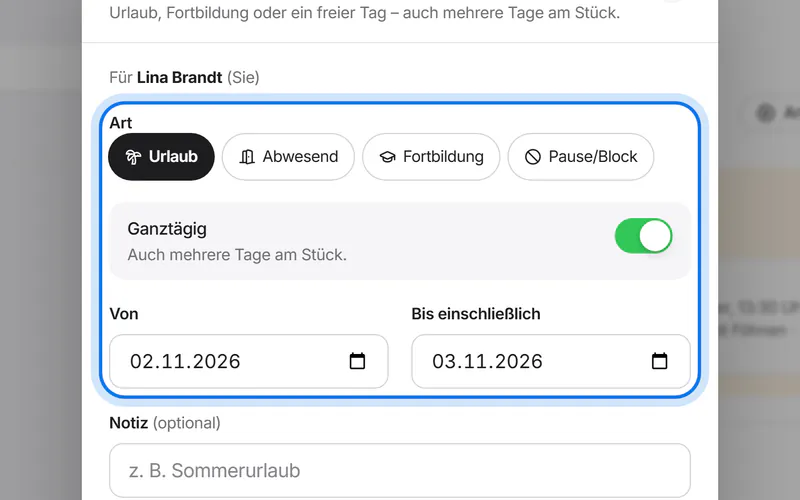
With their own login under “Mein Kalender” (my calendar) → “Urlaub eintragen”: holiday, away, training or break/block, all day or by the hour. Without customer appointments in that time, the entry applies at once. If there are appointments, it becomes a request: you get an email and decide in the calendar with “Genehmigen” (approve) or “Ablehnen” (decline).
Which languages is the booking page in?
Seven: German, English, Turkish, Arabic, Russian, Ukrainian and Polish. Customers choose the language at the top of the page; Arabic reads right to left.
Does my booking page need a legal notice?
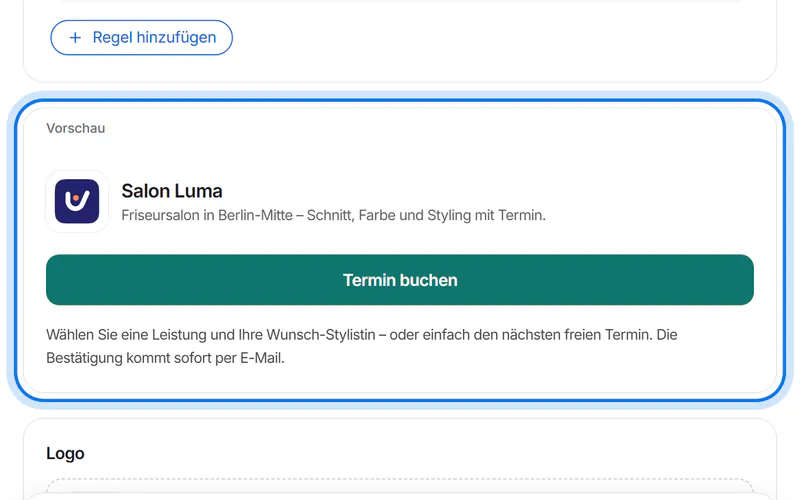
Yes. In Germany it may not be public without an imprint (Impressum). Under “Buchungsseite” → “Impressum und Datenschutz”, enter a link or your mandatory details. If you have no privacy policy of your own, we create privacy information from your details.
Assistant & answers
How does the assistant know what to say?
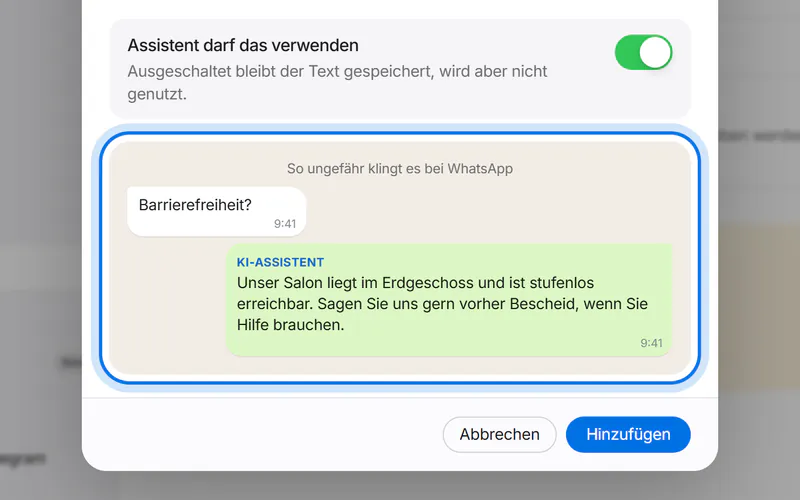
From your entries: services, prices, opening hours and your own question-answer pairs. Everything else goes to your team.
Do customers know they're writing with an AI?
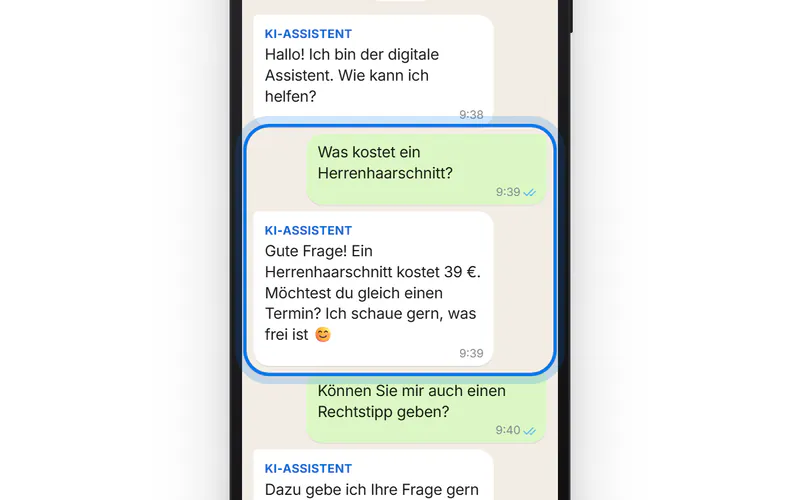
Yes. The assistant identifies itself as an AI assistant – as the European AI Act requires.
Can I reply myself at any time?
Yes, right in the inbox – WhatsApp allows replies up to 24 hours after your customer's last message, Telegram at any time. Take over with one click; the assistant stays quiet until you hand the conversation back.
What happens if someone wants to talk to a person?
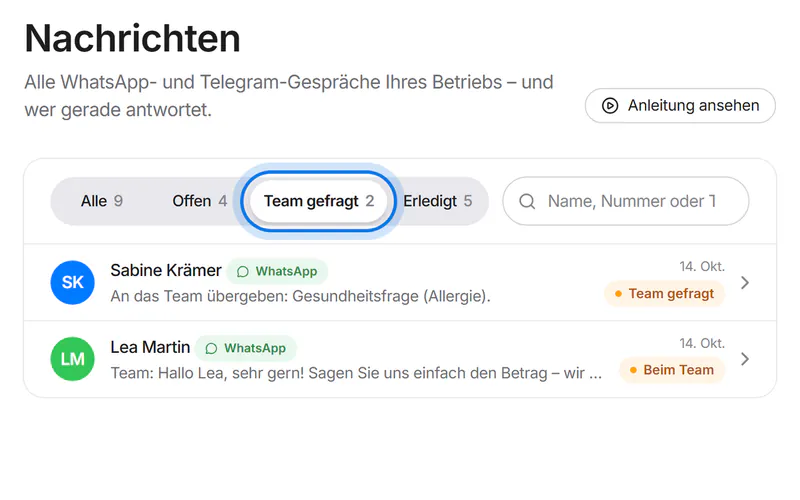
The assistant confirms briefly and hands the conversation to your team. It then shows under “Team gefragt”, and owners, admins and managers get an email with a button to the conversation. The assistant only writes there again once you hand it back.
What happens when the month's AI replies are used up?
New questions then go to your team the same way – by email and under “Team gefragt”. There are no extra costs.
Which languages does it speak?
More than 30, always the language your customers write in – for example German, English, Turkish, Arabic, Russian, Ukrainian, Polish, Romanian, Croatian, Bosnian, Serbian, Albanian, Greek, Italian, Persian and Kurdish. It also understands messages typed without special characters. It understands voice messages in these languages too and can answer by voice; in Kurdish it answers in writing.
Does it understand voice messages?
Yes. It transcribes them and can reply by voice too.
Plan & invoices
How do I cancel?
In your account under “Plan & invoices” with one click, or informally by email. Monthly plans end at the end of the paid month.
Where are my invoices?
Every invoice is sent by email and is also available in your account.
Can I switch plans?
Yes, any time in your account. The price is prorated to the day.
Which payment methods are available?
Credit card, SEPA direct debit, PayPal, Apple Pay, Google Pay and Klarna – securely via Stripe.
Privacy
Where is the data stored?
We list every provider and location openly on the “Security & privacy” page.
Is there a data processing agreement?
Yes. The data processing agreement under Art. 28 GDPR is part of every contract and is agreed upon registration. You can read and save it at any time under “Data processing agreement”.
How do I delete my account?
Write to us from the email address on the account. All steps are on the “Data deletion” page.
Didn't find what you need?
Write to us – we answer personally.