Skip to content

Add your services

Enter what customers can book with you – with duration and price. Your assistant only mentions what is listed here.

6 steps about 5 min

Step by step

  1. Open “Leistungen” (services) in the menu on the left.
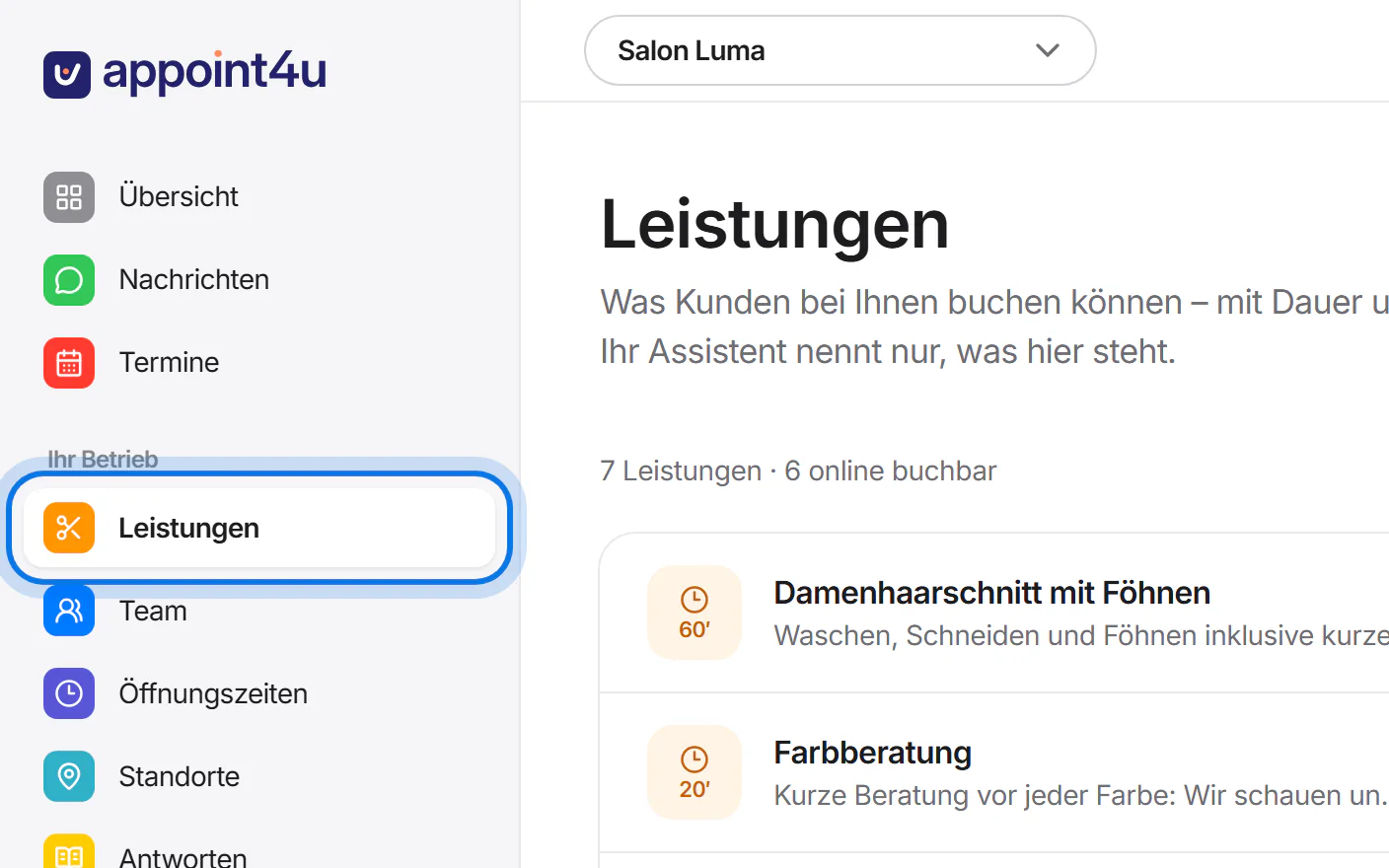
    The account menu with “Leistungen” highlighted.
  2. Tap “Leistung hinzufügen” (add service).
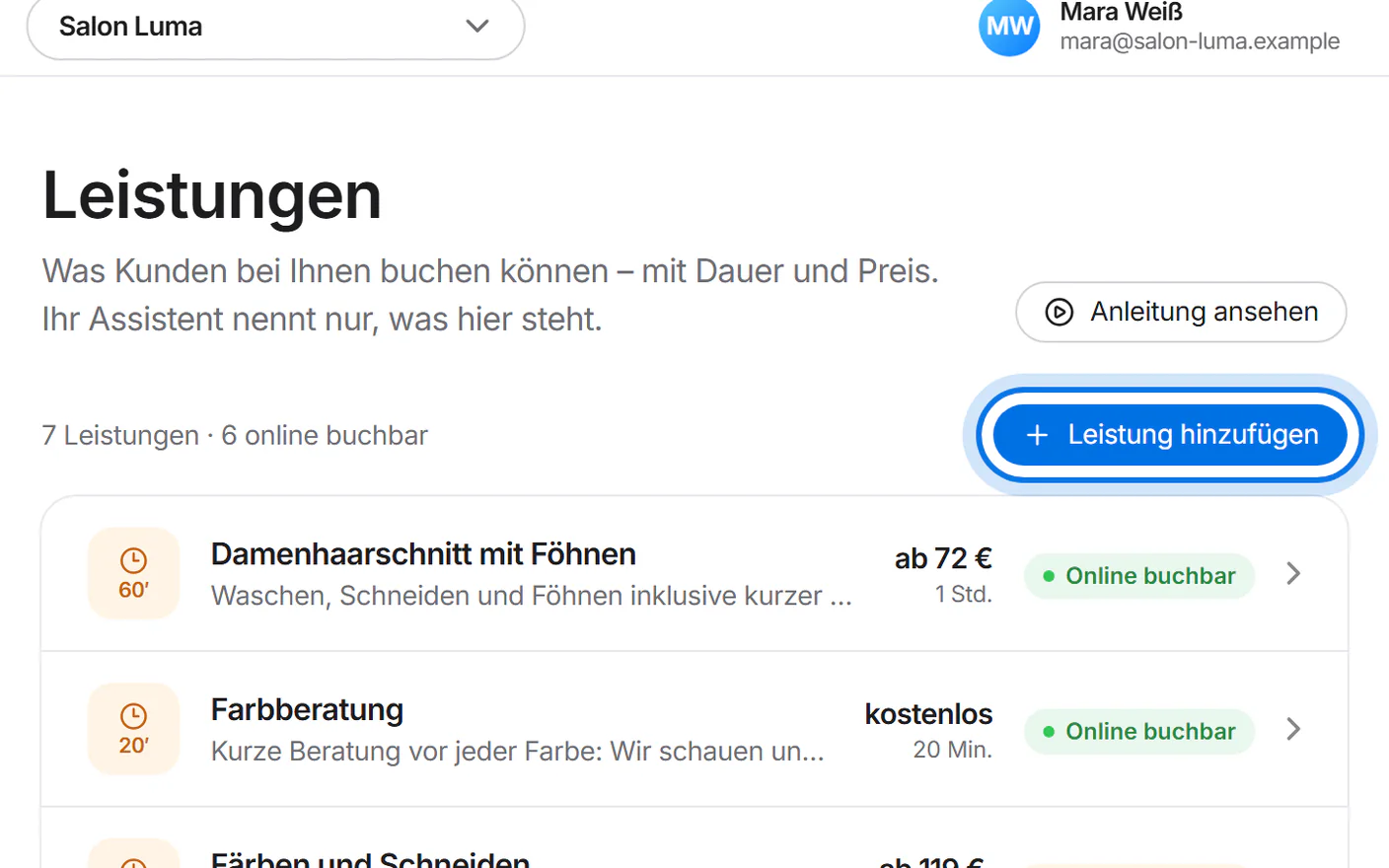
    The services page with the “Leistung hinzufügen” button highlighted.
  3. Enter the name of the service and a short description for your customers.
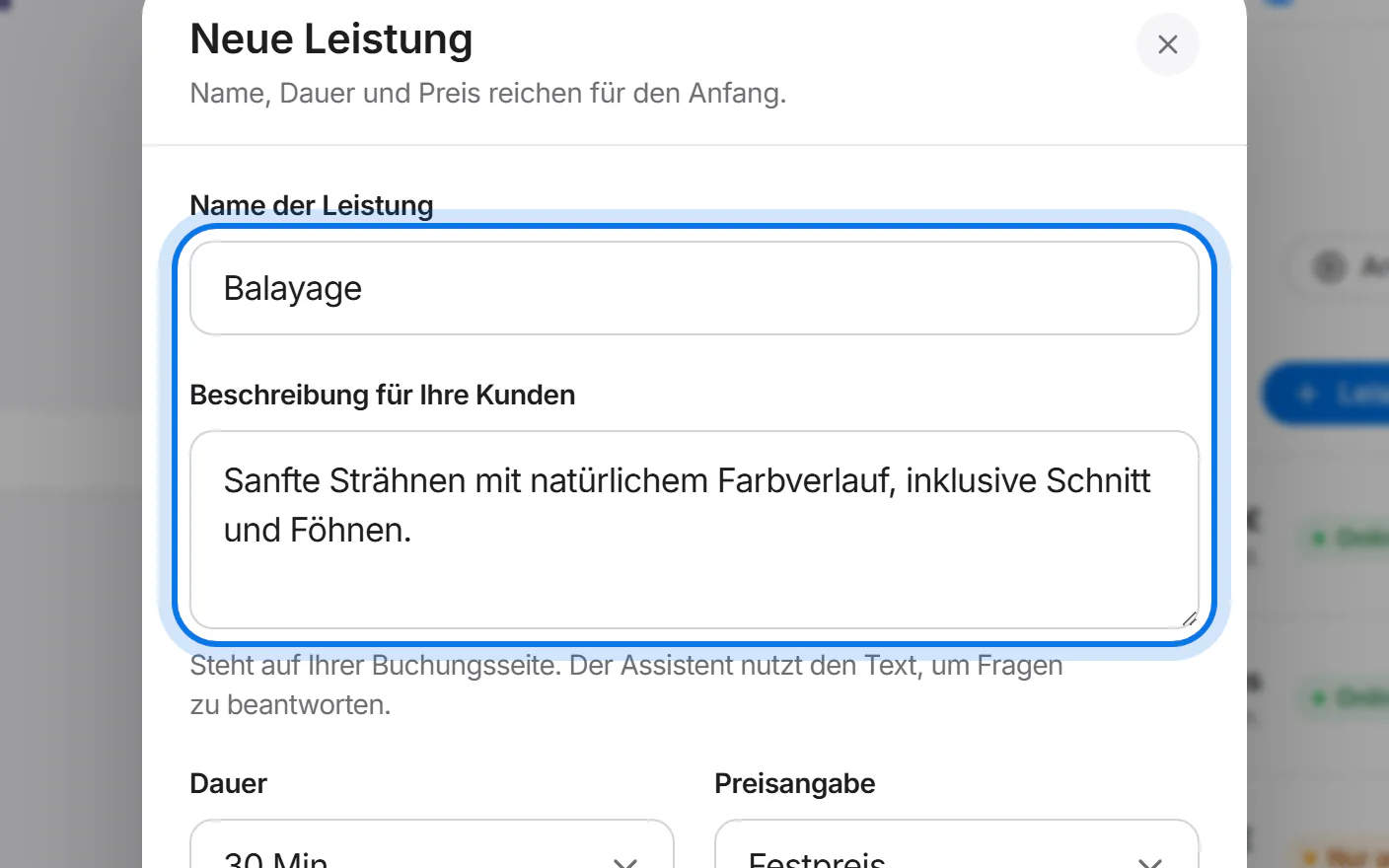
    The “Neue Leistung” window: the name “Balayage” and the description are filled in and highlighted.
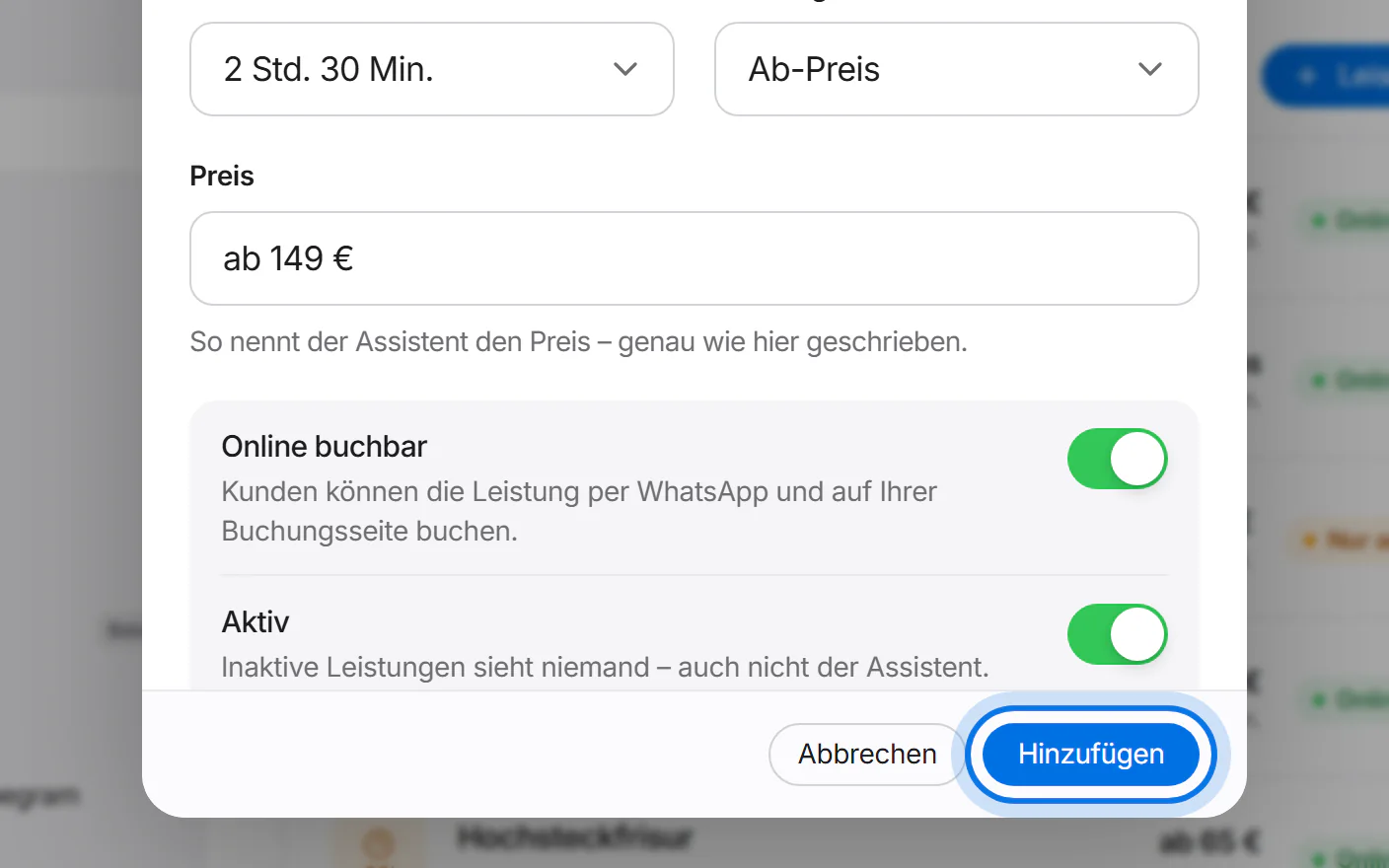
  4. Choose the duration and price type and enter the price – exactly as the assistant should say it.
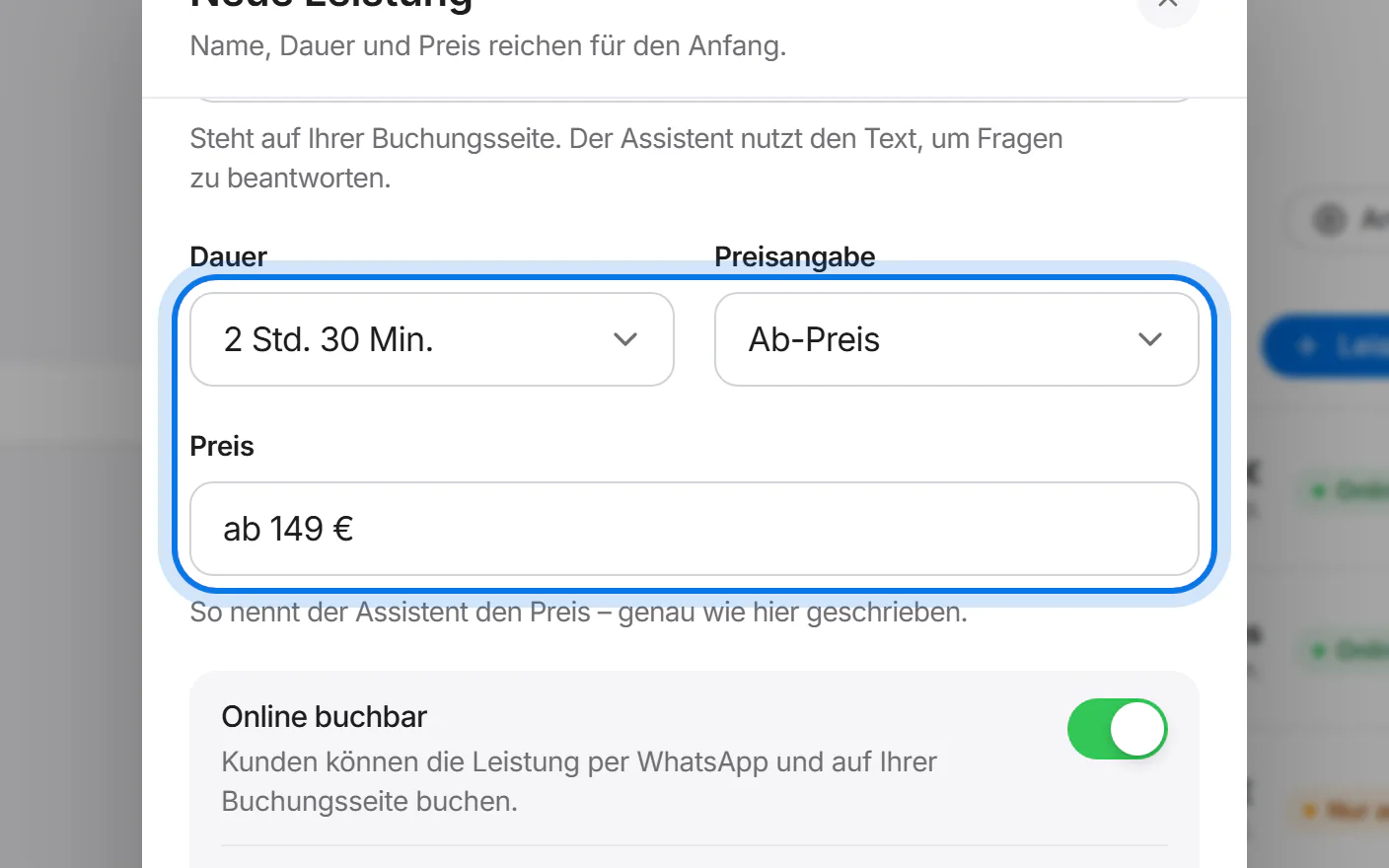
    Duration “2 Std. 30 Min.”, price type “Ab-Preis” (starting from) and the price “ab 149 €” are highlighted.
  5. Tap “Hinzufügen” (add).

    The “Hinzufügen” button at the bottom of the window is highlighted.
  6. Done: the service is in the list. To change it, simply tap it.
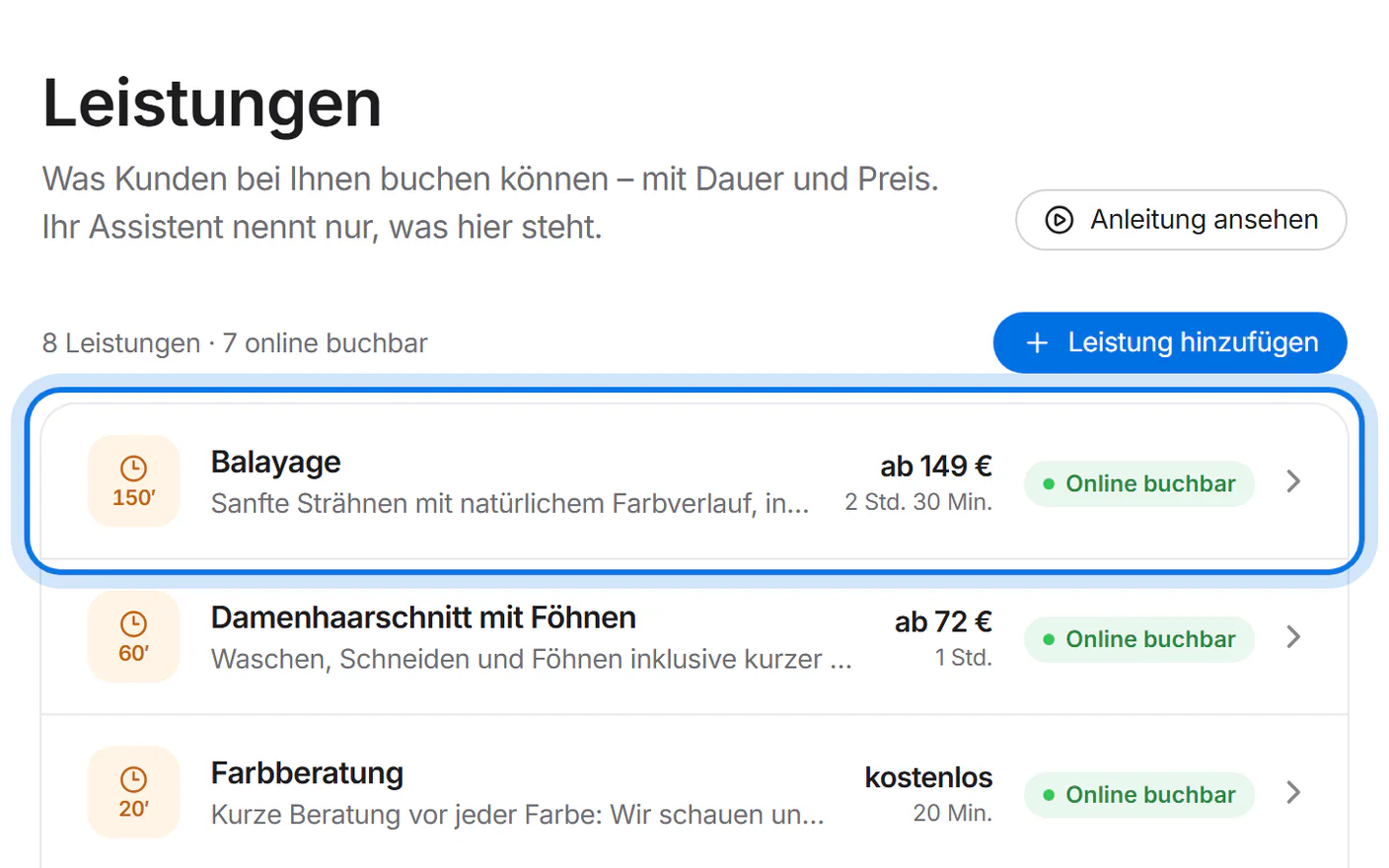
    The new service “Balayage” is highlighted at the top of the list.

Still have questions?

Write to us – we answer personally.